 JiggleProof
Remote teams
Don't let your remote staff use mouse jigglers.
What changes when your PCs can tell a person from a jiggler.
The little green check says someone is at their desk. A mouse jiggler keeps it lit when nobody is. You know that already, so the useful part is what you can do about it.
What detection gives you
Numbers you can trust. JiggleProof counts every minute as one of three things: someone was using the computer, only a jiggler was moving the pointer, or nothing happened. Planning can use the first and ignore the second.
Evidence instead of hunches. A flagged device comes with its reasons, like “moved every nine seconds for ninety minutes and never clicked”. That's a far better way to start a conversation than a suspicion.
It catches all three kinds
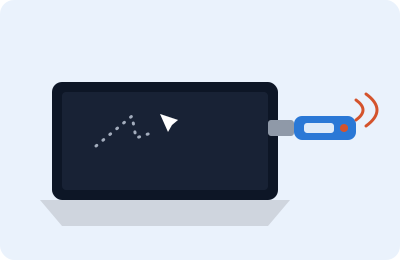


JiggleProof tells a person from a jiggler by how each device moves, so it doesn't matter which kind it is.

Without the surveillance
No keystrokes, no screenshots, no window titles or browsing history. The check runs on the PC, and only the result and its evidence reach the dashboard. The list is short enough that you can tell your staff exactly what's checked.
Try it on a few of your own PCs.
We'll show you the dashboard and set up a pilot on a few Windows machines. Jigglers optional.
Request a demo